From adapter to Ollama: the export, end to end
A walkthrough of the last mile of fine-tuning: what an adapter is, what merging does, how to pick a quant, and how to get the exported file running in Ollama in about a minute.
Training gets all the glory, but the last mile of fine-tuning is the export — the moment your tuned model stops being a directory of training artifacts and becomes a single file you can hand to other tools. This post walks that mile in TheTensorTune: what actually happens when you press GGUF, which quant to pick, and how to get the result running in Ollama before your tea cools.
What you have after training
A LoRA run does not modify the base model. It writes an adapter — a small file of low-rank matrices, usually tens of megabytes, that captures what the run learned. The base model stays exactly as you downloaded it, and the adapter only makes sense alongside it. That is why the app offers a Merged chat mode: it applies the adapter to the base weights in memory so you can talk to the combined model. It is also why chat has a Base mode, so you can hear the “before” without the “after” coloring it.
An adapter plus a base model is fine inside the app, but the rest of the world — Ollama, llama.cpp, LM Studio — speaks one file. That file is GGUF, and producing it is a two-step job: merge the adapter into the base weights, then quantize the result.
Picking a quant
- f16 — exact copy of the merged weights, largest file. Pick it when size does not matter and you want zero loss beyond the merge itself.
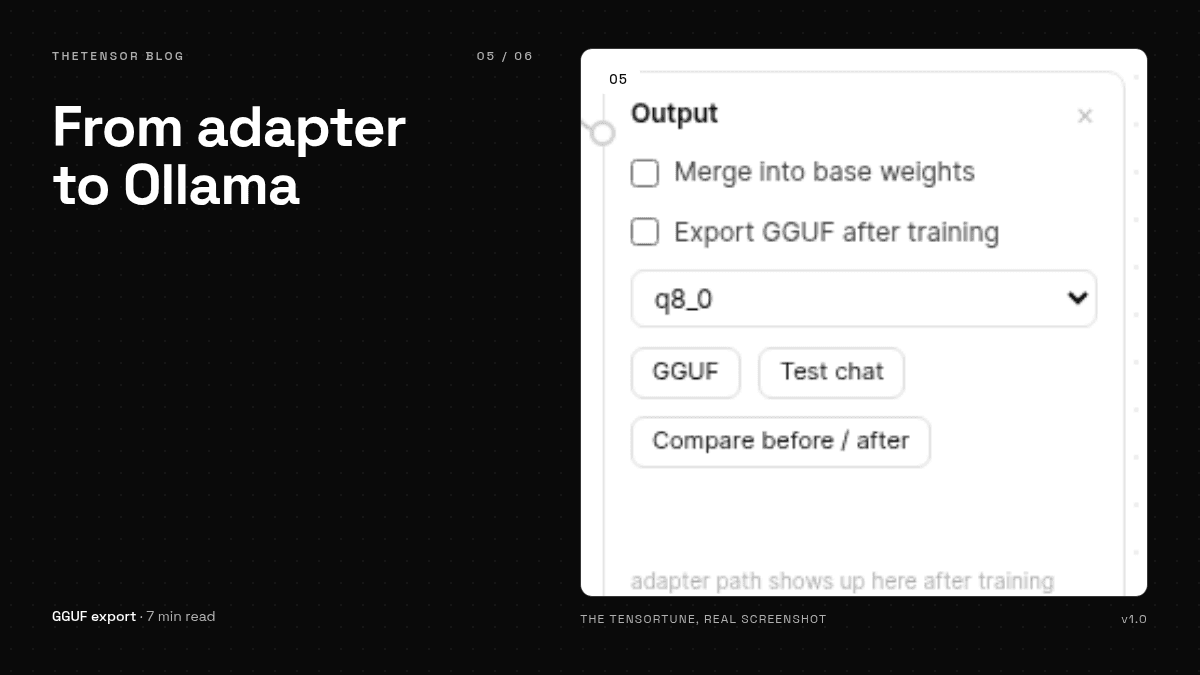
- q8_0 — one byte per weight. Tiny error, much smaller file. This is the recommended default and what our demo exports use.
- K-quants (q4_k_m and friends) — roughly a quarter the size of f16, with a small quality cost. They need llama-quantize available, which the app finds on PATH or via
TT_LLAMA_CPP.
A practical way to decide: export q8_0, chat with it, and if the replies still match what you saw in the app, you are done. Only drop to a smaller quant when the file size forces your hand — and then re-test, because quantization changes models in ways that are boring to predict and easy to notice.
The export itself
On the Output block, pick the quant and press GGUF. Progress shows up as a toast, and when it finishes you get the file path plus a download link. The file lands next to the run's checkpoint, named after the quant you chose. The export preserves the tokenizer, the architecture settings and the attention configuration, which is the unglamorous part that decides whether the exported model answers like the one you tested. Unglamorous, and worth checking: the first thing to do with an export is ask it the same prompt you used in the comparison screen.
One minute to Ollama
# next to the exported file
cat > Modelfile <<EOF
FROM ./model-q8_0.gguf
EOF
ollama create my-tuned -f ./Modelfile
ollama run my-tuned
That is the whole ceremony. Ollama reads the Modelfile, registers the model under the name you gave it, and serves it like any other. From here the model is portable in the way a single file is portable: copy it to another machine, put it on a share, hand it to a friend. The adapter stopped being a project and became a thing.
If you want the long version of any step here, lesson 11 of the built-in course covers the export screen in detail, and INSTALL.md documents the API route that does the same job from a script.